Showing posts with label Mobile. Show all posts

Sunday, February 25, 2018

How to create free Apple Account Without Credit Card

Apple ID and password gives you access to all Apple services. If you want to buy music on iTunes, download apps in the App Store, or use iCloud, you must have an Apple ID. Whatever your reason might be to do so, we are going to show you how to create an Apple ID without a credit card. 

Create an Apple ID Without a Credit Card  
 
In this way your can easily Create an Apple ID Without a Credit Card on an iPhone, iPad, or iPod Touch.

How to create an Apple Account Without Credit Card?


Just Follow Those Steps:-

First Click Here To Create Apple Account

Click Create Your Apple ID.

Now Click Create Your Apple ID.

Fill Those Form and Click Continue.

Now Fill Those Form and Click Continue.

Verify Your Apple ID Email Address.

Now Verify Your Apple ID Email Address.

Your Email Address Successfully Verified.

Now Your Email Address Successfully Verified.

Log In your Apple ID


Now Enjoy your Apple ID.

Wednesday, September 27, 2017

Make Money Online By Doing Micro Jobs

You can earn a good amount  of money from home. It is very easy to earn from this type of micro job sites. You no need much skills to earn with this type of work. All you need to invest your time with work. There are many micro job sites from where you will get paid for completing simple and easy tasks. Hare is a list of legit and reliable micro job sites. 

Make Money Online By Doing Micro Jobs


 Top 13 Websites for Work from Home Jobs.

1. Bitcoin


Bitcoin wallet is website which you can use to hold store bitcoins and make transactions. Locate Your Bitcoin Address. By using this Bitcoin Wallet account you can buy, sell, and use bitcoin.


2. UPLOAD.AC


Earn money from sharing your files. You can easily host files, images, videos, audio and flash on the same place using this site. Earn Money by Uploading Files and share important documents and files.


3. Micro workers


You can earn money from online doing simple micro jobs. Micro jobs like- sign-up, comment, article writing, yahoo answer, adding link to your blog-roll, website search, Giving a like on a Facebook page, Following on twitter, Writing articles,Blog commenting, Signing up for websites, Rating videos, back-linking, Posting reviews online, Bookmarking a website and visit etc. 


 4. EasyHits4U 

সর্বাধিক জনপ্রিয় ট্রাফিক এক্সচেঞ্জ  

You will receive cash for active surfing at the rate of $0.30 for 1000 sites viewed. You will receive $0.10 for every person you refer who surfs 100 or more sites .You will earn commissions of up to 40% from all purchases of Easy Splash Builder and Easy Rotators tools made by your first level referrals.  

  5. BestChange 

Online-money exchangers listing  

 BestChange site is the most reliable and trusted e-money exchange services in the world. The exchanger monitor permanently monitors the rates from the best automatic e-currency exchange sites.

  6. EarnStations 

  
 You Can Easily Earn Money From Earn Stations. A world where you can earn by investing your time. Earn Money from watch YouTube Videos. You have to watch YouTube Videos from 3 to 4 minutes and get credited. Every Day you will get 20 YouTube videos. Per Watching Video you will get $0.05.  

  7. 2Captcha 

  2captcha

Work From Home Data Entry Jobs. 2Captcha entry work is one of the best online typing job. Because there is no limitation both in terms of work and earnings. You can work 24/7 and get paid for what you work.  

  8. PointsPrizes 

  
You can Earn points by completing simple offers, or sharing us with your friends. Earn enough points and you can claim free gift cards. The site is legit and they do give out gift codes and cash payments. It seems that if you get to the total points required to claim a prize that you will receive it.


  9. Adf.ly 

  Get paid to share your links | Adf.ly

You can earn money to share your links on the Internet. Just register for an account and start shrinking. You get paid for every person that visits your URLs. Share your links on Facebook, Twitter, forums, personal websites and any social networking sites.

10. RevenueHits


One of the Best Adsense Alternatives. RevenueHits is a Performance Base Ad Network that was build  for publishers to generate income. RevenueHits is is a CPA based advertising network which pays around $30 in eCPM which helps you make money by showing ads on your blog or website. Revenuehits shows ads/offers depending on the traffic brought by publisher rather than advertisers needs.


11. Payza


A Payza e-wallet offers a wide range of online payment solutions making it easier to send, receive, and manage your money.  Make free online bank account on payza. Payza is a online payment platform lets us send and receive money, shop, make online payments or get paid money from almost anywhere in the world.


12. fanslave

make-money-468x60

You can easily make money online with your Facebook, Twitter and Google +1 account. Facebook user can easily make some money from their own Facebook Account. Users need to do just like the Fan Page. You can also connect your Twitter and Google +1 account and start to earn more money.

  13. mCent


 mCent is a fast and easy way to get free airtime on your prepaid mobile phone. Simply install our free Android app and sign up using your mobile number to install apps, refer friends, and participate in other offers that give you the opportunity to earn or win free airtime. So Join mCent and get free airtime reward value in your local currency. The more offers you complete, the more rewards you can earn.


Saturday, February 11, 2017

Create Apps for Android | No Coding Required

You can Easily create your own android apps without using any  Coding knowledge.Convert any web content into an Android App using Free Android App Maker.You can create Your Own App for Free and Make Money.


Create an UNLIMITED number of apps for FREE Publish your apps without any restrictions Get 50% revenue share from app monetization.


Create Apps for Android | No Coding Required


Just Follow Those steps:-

Step-1:- Click here to Make your own android apps.

Step-2:- Click CREATE APP.

Step-3:-Choose a theme or Template.


Select Website.


Step-4:- Now Select Website.

Type your Website Address and Click Next.


Step-5:- Type your Website Address and Click Next.

Type your App Name and Click Next.

Step-6:- Type your App Name and Click Next.

Type your Apps Description and Click Next.

Step-7:- Type your Apps Description and Click Next.

Select an Apps icon and Click Next.

Step-8:- Now Select an Apps icon and Click Next.

Click CREATE.

Step-9:- Now Click CREATE.

Sign Up using your Email and Password.

Step-10:- Sign Up using your Email and Password.


Now Verify Your Email address.


Step-11:- Now Verify Your Email address.

Go To your Dashboard.

Step-12:- Now Go To your Dashboard.

Click Download.


Step-12:- Now Click Download.
 
Bijoy to Unicode converter Android Apps.

 
Now Enjoy your Android Apps.

Friday, January 6, 2017

Make Money Online By Doing Micro Jobs

You can earn a good amount  of money from home. It is very easy to earn from this type of micro job sites. You no need much skills to earn with this type of work. All you need to invest your time with work. There are many micro job sites from where you will get paid for completing simple and easy tasks. Hare is a list of legit and reliable micro job sites. 

Make Money Online By Doing Micro Jobs


 Top 8 Websites for Work from Home Jobs.

1. Bitcoin


Bitcoin wallet is website which you can use to hold store bitcoins and make transactions. Locate Your Bitcoin Address. By using this Bitcoin Wallet account you can buy, sell, and use bitcoin.


2. UPLOAD.SO


Earn money from sharing your files. You can easily host files, images, videos, audio and flash on the same place using this site. Earn Money by Uploading Files and share important documents and files.


3. Micro workers


You can earn money from online doing simple micro jobs. Micro jobs like- sign-up, comment, article writing, yahoo answer, adding link to your blog-roll, website search, Giving a like on a Facebook page, Following on twitter, Writing articles,Blog commenting, Signing up for websites, Rating videos, back-linking, Posting reviews online, Bookmarking a website and visit etc. 

 4. EasyHits4U 

  
You will receive cash for active surfing at the rate of $0.30 for 1000 sites viewed. You will receive $0.10 for every person you refer who surfs 100 or more sites .You will earn commissions of up to 40% from all purchases of Easy Splash Builder and Easy Rotators tools made by your first level referrals.  

5. RevenueHits

 
One of the Best Adsense Alternatives. RevenueHits is a Performance Base Ad Network that was build  for publishers to generate income. RevenueHits is is a CPA based advertising network which pays around $30 in eCPM which helps you make money by showing ads on your blog or website. Revenuehits shows ads/offers depending on the traffic brought by publisher rather than advertisers needs.


6. Payza


A Payza e-wallet offers a wide range of online payment solutions making it easier to send, receive, and manage your money.  Make free online bank account on payza. Payza is a online payment platform lets us send and receive money, shop, make online payments or get paid money from almost anywhere in the world.


7. fanslave


You can easily make money online with your Facebook, Twitter and Google +1 account. Facebook user can easily make some money from their own Facebook Account. Users need to do just like the Fan Page. You can also connect your Twitter and Google +1 account and start to earn more money.

 8. mCent


 mCent is a fast and easy way to get free airtime on your prepaid mobile phone. Simply install our free Android app and sign up using your mobile number to install apps, refer friends, and participate in other offers that give you the opportunity to earn or win free airtime. So Join mCent and get free airtime reward value in your local currency. The more offers you complete, the more rewards you can earn.


Tuesday, September 20, 2016

How to Recharge Mobile with Bitcoin

You can top up any prepaid mobile phone using bitcoin. Bitrefill support prepaid SIM cards from over 600 operators in 150 countries. Using Bitcoin allows us to cut costs, and pass the savings on to you. You can even use it to send topup to friends and family abroad.  


How to Recharge Mobile with Bitcoin


 How to recharge your mobile using Bitcoin?

Just Follow those Steps:-


First Go to this site for Mobile Recharge.


Now Select your Country and Type your mobile number.


Select your Country and Type your mobile number.


Then Click SEE PRICES.


Enter a phone number or select an operator bellow to see prices.


Type your Custom amount you want to recharge.


Type your Custom amount you want to recharge.


Then Type your email address and Click To payment.


Now Login your Coinbase Acccount.

Then Click Send/Request.


Click Send/Request.


Fill those form using Bitrefill information and Click Send Funds.


Fill those form using Bitrefill information and Click Send Funds.

Now Confirm.


You've successfully send BTC amount.


Now You've successfully send BTC amount.


Your refill has been sent.


Your refill has been sent.

Now Check your Mobile Balance.

Now enjoy your mobile recharge using Bitcoin.


Tuesday, July 12, 2016

Download QR Code and Bar code Scanner for Android

Nowadays QR code & Bar Code are used everywhere in the world. To scan and read  QR code or Bar Code you need a Reader or Scanner. QR & Bar code Reader  is an essential app for every Android device.


Download QR Code and Bar code Scanner


How to use QR & Bar code Reader App?


QR & Bar code Reader is extremely fast and easy to use tool, simply select desired action from convenient menu and follow the onscreen instructions.

To scan QR code or Bar code using camera on your device, simply point your camera to code you wish to scan and app will automatically detect and scan it.


scan QR code or Bar code using camera


No need to press any buttons or take photos. You can even set QR & Bar-code Reader to auto start camera scan when opening the app for faster use.

If  QR code contains a website URL, you will automatically be taken to the site. If the code just contains text, you'll immediately see it. For other formats such as phone numbers, email addresses, or contact info etc.

It can also scan Bar Code like- (UPC, EAN, and ISBN) and shows you pricing, reviews, and more about any products you scan.


Size of this apps only 2.2 MB.


Download Instruction:-

1. First Click That link to download.

2. Then Uncheck Download Our Offers.

3. Again Uncheck Download Our Offers.

4. Now Click Download.

5. Now Click Click here to Download.

6. Now Save your Apps.


Note:-


Bar code scanning requires a newer device in order to work reliably. Cameras on older devices do not provide the resolution or focus required for bar code scanning.


Monday, March 21, 2016

How to turn your phone into a 3D hologram projector

You can easily turn your smartphone into a 3D holographic video. 

 You can create a 3D Hologram Using Your Android Phone.  

You have to create a 3D hologram pyramid projector. 

 This Hologram projector will create the illusion that you’re observing a floating 3D image.


How to turn your phone into a 3D hologram projector


Learn How to
Make a 3D Hologram Using Your Android Phone.


What you’ll need:

1. Scissors /Box cutter.
2. Smart Phone.
3. Cos-tape.
4.
Plastic Sheet / Transparent plastic paper / Old CD case etc.
5. Ruler Or Ecuadoran-y-regla-colorear
 6. Pen.
7. Compass. 
8. Some Holographic Video.


How to turn your phone into a 3D hologram projector ?


 How to make 3D Hologram Projector ?


Just Follow those Steps:-


Access to a video made for this purpose, like this one, which you can find on YouTube. 


 Download Holograms Video 4k Video from here.


Now play 4 Faces Holograms Video on your Smart Phone.

& 
Place your projector topside down in the center of the images.


Holographic Video for Smartphone Projector


Now Enjoy your 3D Holograms 4k Videos with pyramid projector.


Monday, March 7, 2016

Turns your phone into WiFi Hotspot

You can share your mobile internet connection with laptop, tablet 

or any other WiFi enabled devices. You can easily create your 

mobile phone into WiFi hotspot by using this software.


mHotspot-Turn your mobile into Wi-Fi hotspot


mHotspot Features:-
 

1. One touch Hotspot.

2. Choose your own Hotspot Name & Password.


3. View Hotspot Data Used.


4. View Upload & Download Speeds.


5. Auto-Save hotspot name & password. (can be cleared)


6. No restrictions on bandwidth.


7. Unlimited minutes.


8. Root NOT Required.


This way you can easily create a portable WiFi Hotspot. 


Turns your phone into WiFi Hotspot


Wednesday, January 20, 2016

Useful Information of Mobile Operator

Bangladesh has six mobile phone operators. We are using more than one mobile phone SIM card. These SIM card number (phone number) is quite difficult to remember. 

If your forget your sim number, how to recharge your account balance  or 'top-up' or if there is no choice but to buy recharge card. So how to find your sim number.


Now Forgot your phone's mobile number is no problem. 

You can easily find your missing mobile number. 


How to Find your own mobile number :-

GrameenPhone = *2#

Robi = *140*2*4#

Banglalink = *511#

Airtel = *121*6*3#


TaleTalk = Type TAR and Send 222

CityCell =  Type MDN And Send 7678  


========================================== 
How to Find Your own Mobile Number on Any Network


=========================================
Account Balance :-

Network Dial (For checking balance)

GP  *566# [Prepaid]12115  [Postpaid]  sms: 2000 [Postpaid]

Banglalink *124#

Airtel *778#

Robi *222# or *222#1 or 222 Incoming bonus *222*3#

Taletalk *152#

Citycell *811

============================================
Helpline:-

Network Dial

Grameen Phone : 121

Banglalink : 123

Airtel : 787

Robi : 123 or sms to 8123

Taletalk : 1234

Citycell : 121


=================================


Mobile operator Power menu (all info) :-

Grameen Phone: *111#

Robi: *140#

Banglalink: *789#

Airtel: Airtel menu


==================X==================

Thursday, November 19, 2015

How To Access Blocked Websites

You can easily Access Blocked Websites using your PC or Mobile.


Learn how to Access Blocked Websites using your PC:-


You can Access Blocked Websites by using those proxy browser add-ons.


How To Access Blocked Websites


Today I share a tips; This way you can access blocked websites.

 Become Anonymous: Use Proxy Websites. A proxy website 


becomes a moderator between the user and server site.


Just Follow those steps:-


install firefox Proxy Extension


Now Click Add to Firefox


Active Your Browsec VPN


Now Active Your Browsec VPN


 By using VPN you can Change Network Proxy In  your Browser. 


OR 


install Chrome Proxy Extension

Now install this add-ons.


Now Active Your Browsec VPN.


Now visits your desire website.


In this way your can easily access blocked websites.


 OR

You can use IP hide software access blocked websites.


Download PlatinumHideIP-3.1.5.8 


How to Access Blocked Websites using your Android Phone:-


Download Hotspot Shield Free VPN Proxy


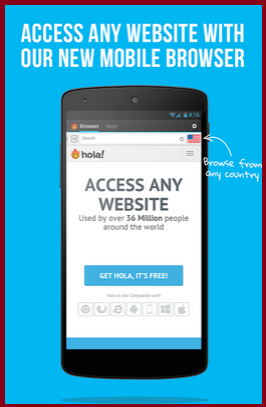
Download Hola Free VPN Proxy


How to use VPN Proxy:-


1. First Download and Install those Apps.

2.  Now Open those apps and Click ON.

 3. You can easily use Facebook, Whatsapp, Viberr, Line etc.


Now enjoy Facebook, twitter, Whatsapp, Viberr, Line etc.